

Amazon's Echo Show 8 and 11 are down to new all-time lows

AMD suggests the next-gen Xbox will arrive in 2027
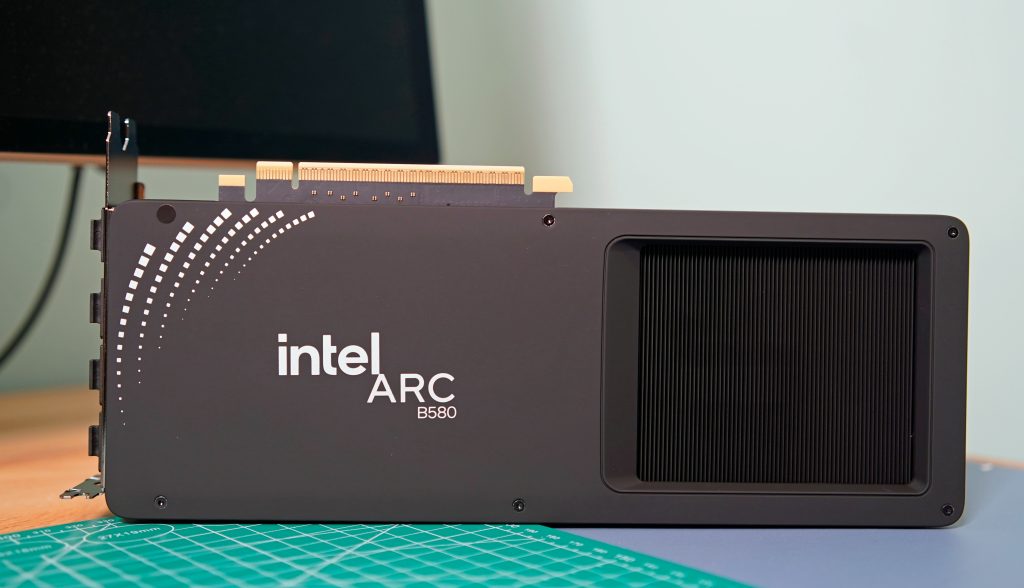
One of the toughest parts of any new computer build or upgrade is finding the right video card. In a gaming PC, the GPU is easily the most important part, and you can limit your experience by going with the wrong model. The buying process can be frustrating, especially right now with memory shortages leading to higher prices. In this guide, we'll help you navigate the market and find the right GPU for your needs.
It's all about the games
The first question to ask yourself is what kind of games do you want to play. Competitive shooters like Valorant, Overwatch and Marvel Rivals were designed to run on older hardware. As such, even entry-level GPUs like the GeForce RTX 5060 can push those games at 120 frames per second and above at 1080p (more on why that's important in a moment).
By contrast, if you want to play modern, single-player games with ray tracing and other graphical extras, you'll need a more powerful GPU. Just how much more powerful will depend on the resolution of your monitor.
A 1440p or QHD monitor has 78 percent more pixels than a 1080p screen, and a 4K display has more than twice as many pixels as a QHD panel. In short, running a game at 4K, especially at anything above 60 frames per second, is demanding, and most GPUs will need to use upscaling techniques like NVIDIA's Deep Learning Super Sampling (DLSS) and AMD's FidelityFX Super Resolution (FSR) to push new games at high refresh rates.
On the subject of resolution, it doesn't make sense to spend a lot of money on a 4K monitor only to pair it with an inexpensive GPU. That's a recipe for a bad experience. As you're shopping for a new video card, you should think about the resolution and frame rate you want to play your games. If you're in the market for both a GPU and display, be sure to check out our guide to the best gaming monitors.
If your budget allows, a good bet is to buy a midrange card that can comfortably render all but the most demanding games at 1440p and at least 144 frames per second. Put another way, you want a GPU that can saturate a monitor at its native resolution and refresh rate in as many games as possible. That will give you the smoothest possible experience in terms of motion clarity, and allow you to dabble in both competitive shooters and the latest single-player games as the mood strikes you.
NVIDIA vs AMD and Intel
One of the confusing aspects of the GPU industry are all the players involved. What you need to know is that there are three main players: AMD, Intel and NVIDIA. They design the cards you can buy, but delegate the manufacturing of them to so-called add-in board (AIB) partners like ASUS, XFX, Gigabyte and others.
As you can imagine, this creates some headaches. The most annoying of which is that AMD, Intel and NVIDIA will often set recommended prices for their graphic cards, only for their partners to sell their versions of those GPUs for more than the manufacturer's suggested retail price (MSRP). For example, NVIDIA's website lists the RTX 5070 with a starting price of sellerN:Newegg;elmt:;cpos:4;pos:1″ href=”https://shopping.yahoo.com/rdlw?merchantId=6ce976db-26d7-4094-a1be-4d1496b213f0&siteId=us-engadget&pageId=1p-autolink&contentUuid=7676f70e-877d-4293-afe3-fdbc21e98c7c&featureId=text-link&merchantName=Newegg&linkText=5070s+listed+at+that+price&custData=eyJzb3VyY2VOYW1lIjoiV2ViLURlc2t0b3AtVmVyaXpvbiIsImxhbmRpbmdVcmwiOiJodHRwczovL3d3dy5uZXdlZ2cuY29tL3AvcGw_ZD1SVFgrNTA3MCZPcmRlcj0xIiwiY29udGVudFV1aWQiOiI3Njc2ZjcwZS04NzdkLTQyOTMtYWZlMy1mZGJjMjFlOThjN2MiLCJvcmlnaW5hbFVybCI6Imh0dHBzOi8vd3d3Lm5ld2VnZy5jb20vcC9wbD9kPVJUWCs1MDcwJk9yZGVyPTEifQ&signature=AQAAAQ2F8SZhY3upQlXMzs4XYPjfLiB-PVBmTQVX2amoKJiv&gcReferrer=https%3A%2F%2Fwww.newegg.com%2Fp%2Fpl%3Fd%3DRTX%2B5070%26Order%3D1″ class=”rapid-with-clickid” data-original-link=”https://www.newegg.com/p/pl?d=RTX+5070&Order=1″>5070s listed at that price. The only models anywhere close to s RTX 50 series release (and excluding models like the RTX 5080 and 5090 where there's no competition), it's safe to say NVIDIA missed the mark this generation. If you're in the market for an entry- or mid-level GPU, AMD and Intel offer better value, with cards that come with enough VRAM for now and into the future. That said, there are still a few reasons you might consider an NVIDIA GPU, starting with ray tracing.
Ray tracing
For decades, developers have used rasterization techniques to approximate how light behaves in the real world, and the results have been commendable. But if you know what to look for, it's easy to see where the illusion falls apart. For that reason, real-time ray tracing has been a goal of industry for years, and in 2018 it became a reality with NVIDIA's first RTX cards.
In some games, effects like ray-traced reflections and global illumination are transformational. Unfortunately, those features are expensive to run, often coming at a significant frame rate drop without upscaling. Since ray tracing was optional in many games before 2025, you could save money by buying an AMD GPU. For example, even if the RX 7800 XT was worse at ray tracing than the RTX 4070, the former was often cheaper to buy, had more onboard VRAM and offered as good or better rasterization performance in many games.
However, you can't ignore ray tracing performance anymore. We're starting to see releases like Doom: The Dark Ages where the tech is an integral part of a game's rendering pipeline, and more are likely to follow in the future. Thankfully, AMD's newest cards are much better in that regard, though you'll still get an edge running an NVIDIA model. For that reason, if ray tracing is important to you, NVIDIA cards are still the way to go.
Refresh rates and frame rates
If you're new to the world of PC gaming, it can be tricky to wrap your head around refresh rates. In short, the higher the refresh rate of a monitor, the more times it can update the image it displays on screen every second, thereby producing a smoother moving picture.
For example, moving elements on a monitor with a 240Hz refresh rate will look better than on one with a 120Hz refresh rate. However, that's dependent on your GPU being able to consistently render a game at the appropriate frame rates. In the case of a 120Hz monitor, you want a GPU with enough headroom to drive most games at 120 fps. Realistically, most video cards won't be able to achieve that in every game, but it's a good baseline to aim for when shopping for a new GPU.
Frame generation
Since the release of NVIDIA's RTX 40-series GPU, the company has offered a feature called frame generation. As the name suggests, it allows NVIDIA's latest video cards to generate an additional frame for every frame they render normally. With the 50-series, NVIDIA has since begun offering multi-frame generation, which gives those GPUs the ability to generate up to three additional frames for every rendered frame. AMD has its own take on the tech, as does Intel, though NVIDIA's offering is considered superior to both due to how it handles frame pacing.
Frame generation is nice to have, but it's not the silver bullet it might seem. Enabling it will increase system latency, reducing how responsive your games feel. Somewhat unintuitively, high-end GPUs also benefit more from the tech than their entry-level counterparts since they can naturally render more frames. For that reason, it's best to think of frame generation as a way to
Original aticle here: Engadget